
This comparison comes from building 400+ websites across both platforms. Our view has changed over the years — and our answer now depends entirely on the specific project, client and use case in front of us.
Quick overview
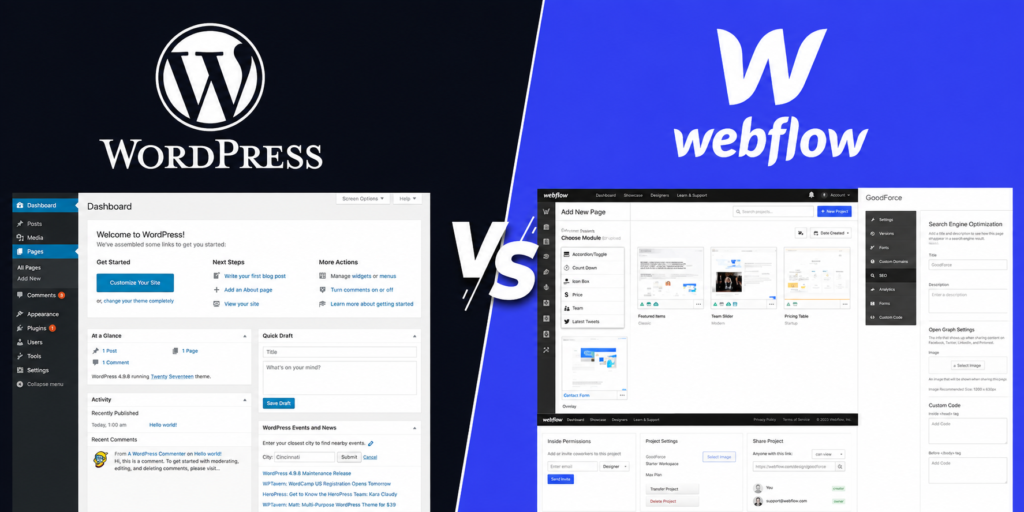
WordPress is an open-source CMS that powers 43% of all websites. It’s infinitely extensible via plugins, requires self-hosted infrastructure, and has a vast ecosystem of themes, plugins and developers.
Webflow is a SaaS website builder that combines visual design tools with clean code output and a built-in CMS. It’s hosted on Webflow’s infrastructure and requires a monthly subscription.
Ease of use
For building the site: Webflow has a steeper initial learning curve for designers — but once mastered, it’s significantly faster for creating pixel-perfect layouts. WordPress is faster to get a basic site live but requires more developer knowledge for complex custom designs.
For content editors: Webflow’s Editor is clean and safe — editors can update text and images without any risk of breaking the design. WordPress’s Gutenberg editor is powerful but gives editors more ways to inadvertently break layouts.
Design flexibility
Webflow wins on design flexibility for marketing sites. The visual canvas gives designers pixel-level control without writing CSS, and the animation/interaction tools are far more powerful than any WordPress page builder.
WordPress wins for complex functionality and eCommerce. WooCommerce, membership sites, complex custom post types, and integrations with enterprise tools are all areas where WordPress’s open-source nature and plugin ecosystem are unmatched.
Our Rule of Thumb
If the primary challenge is design complexity → Webflow. If the primary challenge is functionality complexity → WordPress.
CMS & content management
Webflow CMS is clean, structured and prevents editors from making a mess. Collections (equivalent to WordPress post types) are defined by the developer and editors can only add content within those structures. This is both a strength (consistency) and a limitation (less flexibility for complex content models).
WordPress has a far more mature and flexible content management system. Custom post types, taxonomies, Advanced Custom Fields and Gutenberg blocks can accommodate virtually any content model complexity. For content-heavy sites — news publications, large knowledge bases, complex product catalogues — WordPress is significantly more capable.
SEO comparison
Both platforms are SEO-capable when properly configured. WordPress has historically had an advantage through plugins like Yoast SEO and Rank Math, which provide granular control over every SEO element. Webflow now offers excellent SEO controls natively, and its clean code output (no plugin bloat) can be an SEO advantage.
SEO consideration
Webflow’s URL structure for CMS items includes the collection slug — e.g., /blog/post-title. This is fine for most projects but check whether it conflicts with any specific SEO strategy you have in place.
Performance & speed
Webflow delivers excellent performance out of the box — global CDN, automatic image compression and clean code mean most Webflow sites score 85–95 on Lighthouse without any optimisation work.
WordPress performance depends heavily on hosting, theme and plugins. A poorly configured WordPress site is dramatically slower than Webflow; a properly optimised one on a quality host can match or exceed Webflow’s scores.
Cost comparison (annual)
- Webflow CMS plan: ~£192/year hosting (included) + Domain ~£12/year = ~£204/year
- WordPress: Managed hosting £150–600/year + Domain £12/year + Plugins £100–500/year = £262–1,112/year
For simple marketing sites, Webflow is often cheaper when you factor in the reduced need for premium plugins and the time saved on maintenance. For complex sites with many paid plugins, WordPress can become more expensive.
When to choose Webflow
- Marketing website for a startup or SaaS product
- Agency or creative portfolio where design is the primary selling point
- Content team that needs to publish regularly without developer help
- Client wants a low-maintenance, self-contained solution
- Budget for design but not ongoing technical maintenance
When to choose WordPress:
- Large blog or content-heavy publication
- eCommerce store (WooCommerce)
- Membership or subscription site
- Complex integrations with enterprise tools or CRMs
- Highly customised functionality that no Webflow app covers
- Client already has a WordPress ecosystem
Our honest verdict
We love building in both platforms. Webflow makes beautiful marketing sites a joy to build — the design freedom is genuine, and clients love the Editor’s simplicity. WordPress’s ecosystem and extensibility make it indispensable for complex projects that outgrow what Webflow can handle natively.
The worst outcome is choosing the wrong tool for the wrong project. A complex membership site in Webflow will hit walls quickly. A simple five-page marketing site in WordPress will be over-engineered and expensive to maintain. Let the project requirements drive the platform choice — not brand preference.